Viewer: original geometry, sampled display and camera controls
Authored directional lights — Complete native documents, raw materials and authored lights through the explicit asynchronous required-WebGPU facade.
Native points and display pose — Measure original native points, apply a separate display pose and select a projected point in the actual 3D view.
Open the native panel example. The source defines a100×40 mm Surface. Its native midpoint is [50,0,20] mm at U=0.5/V=0.5. The Viewer converts native millimetres to scene units once for display.
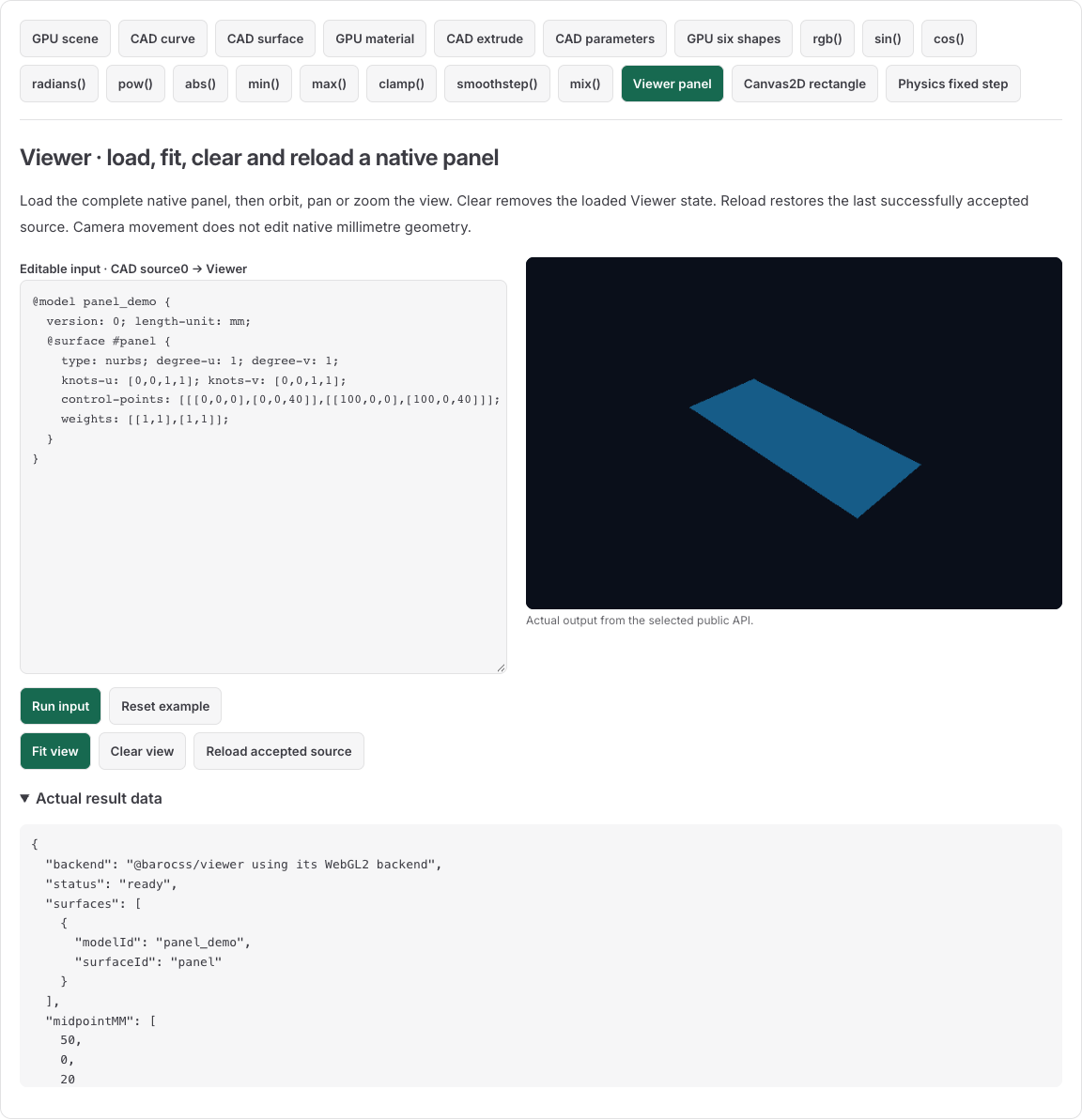
Load complete native source
Use a TypeScript-capable browser bundler with the workspace Viewer and its dependencies. The host page provides a visible canvas and controls:
<canvas id="canvas" width="640" height="360" style="width:640px;height:360px"></canvas>
<button id="fit" type="button">Fit view</button>
<button id="clear" type="button">Clear view</button>
<button id="reload" type="button">Reload accepted source</button>
<script type="module" src="./main.ts"></script>import { createViewer } from '@barocss/viewer';
const source = `@model panel_demo {
version: 0; length-unit: mm;
@surface #panel {
type: nurbs; degree-u: 1; degree-v: 1;
knots-u: [0,0,1,1]; knots-v: [0,0,1,1];
control-points: [[[0,0,0],[0,0,40]],[[100,0,0],[100,0,40]]];
weights: [[1,1],[1,1]];
}
}`;
const canvas = document.querySelector<HTMLCanvasElement>('#canvas')!;
const viewer = createViewer(canvas, {
mmToSceneUnit: 0.001, background: [0.04, 0.06, 0.1],
});
let acceptedSource = source;
try {
viewer.loadNative(source, { sourceVersion: 0, countU: 3, countV: 3 });
} catch (error) {
viewer.dispose();
throw error;
}
function loadCandidate(text: string) {
viewer.loadNative(text, { sourceVersion: 0, countU: 3, countV: 3 });
acceptedSource = text;
}
console.log(viewer.getState().status, viewer.getState().surfaces);
// ready, [{modelId:'panel_demo',surfaceId:'panel'}]
const fitButton = document.querySelector<HTMLButtonElement>('#fit')!;
const clearButton = document.querySelector<HTMLButtonElement>('#clear')!;
const reloadButton = document.querySelector<HTMLButtonElement>('#reload')!;
function fit() { try { viewer.fit(); } catch (error) { console.error(error); } }
function clear() { try { viewer.clear(); } catch (error) { console.error(error); } }
function reload() { try { loadCandidate(acceptedSource); } catch (error) { console.error(error); } }
fitButton.addEventListener('click', fit);
clearButton.addEventListener('click', clear);
reloadButton.addEventListener('click', reload);
canvas.tabIndex = 0;
canvas.style.touchAction = 'none';
const pointer = viewer.attachPointerControls({ onError: console.error });
const keyboard = viewer.attachKeyboardControls({ onError: console.error });
window.addEventListener('pagehide', () => {
fitButton.removeEventListener('click', fit);
clearButton.removeEventListener('click', clear);
reloadButton.removeEventListener('click', reload);
keyboard.dispose(); pointer.dispose(); viewer.dispose();
}, { once: true });At scale 0.001, 1000 native mm becomes one scene unit. The 3×3 sample produces 9 display vertices and 8 triangles. Original source, Model, weights, knots and IDs remain native authority; the sampled mesh is derived display data. getState() returns a copy that cannot mutate the accepted Viewer.
Change both X=100 poles to120 in the live example and run the candidate. The native midpoint becomes [60,0,20] mm. A degree of0 is invalid. Native admission refusal keeps the accepted source and references while the display remains live; a lost or unavailable GPU context has a different recovery boundary.
Fit, clear and reload
Fit changes the camera for visible geometry; it does not edit the model and is a separate operation from loading. Clear draws the background and changes status to empty, clearing native authority, display objects and selection. It retains view/background/scale settings. Your host must retain accepted source if Reload should restore it. After Clear, reload visible geometry before calling Fit.
Primary drag orbits, Shift-drag pans and wheel zooms. The host sets touch behavior and focus. With the canvas focused, F fits and Escape clears selection. These adapters do not edit source or implement click selection. Dispose their listeners before disposing Viewer, and restore any canvas properties your host changed when sharing that canvas.
Query a native point and interpret a screen pick
import { evaluateSurface } from '@barocss/cad';
const native = viewer.getState().native;
const surface = native?.model.objects.find(object => object.kind === 'surface');
if (surface?.kind === 'surface') {
  console.log(evaluateSurface(surface, 0.5, 0.5)); // [50,0,20] mm for the original input.
}
const hit = viewer.pick(120, 80); // Canvas-local CSS pixels.
if (hit) viewer.select(hit.ref);
Original U/V has no length unit and follows the native knot domain. A native query evaluates the original Surface at explicit parameters. A screen pick selects a sampled triangle and approximate parameters; it is not a certified native ray intersection. Keep native XYZ, displayed pose and rendered image separate. Use model-qualified references because a local Surface ID can occur in different Models.
The Viewer sample above uses genuine WebGL2 presentation. The CAD Surface image in the playground uses a separate direct GPU mesh path. Each display API retains its own supported mode, limits and lifecycle.